Data Acquisition Contents
Here's a brief description of each page on our web site. They're arranged under seven topics: Products, Free Stuff, Ordering, Applications, Technical Support, Articles and Tutorials and Serial Communications: RS232, RS485, RS422, Modbus.
Free Stuff
- Serial Trouble-Shooting Software
- The free ComDebug software is a terminal emulator that lets you quickly identify any COM port communications problems. For RS232, RS422, RS485 and Modbus devices. It also lets you log data from one instrument.
- Monitor
- Subscribe to our free, monthly, newsletter for data acquisition news, tutorials and internet resources.
Ordering
- DAQ Catalogue
- Browse our data acquisition hardware and software catalogue. Now featuring a monthly special offer.
- Systems Integrators
- You can buy direct from Windmill Software, or use one of our local agents.
Articles and Tutorials
See also our serial communication tutorials below.
- Seven Ways to Reduce Noise
- Reducing and filtering noise in signals
- Data Acquisition and the Smart City: A Connected Future
- At the heart of a smart city lies data acquisition, the process of gathering information from various sensors and sources.
- Particle Counters in Smart Cities
- How laser particle counters monitor air quality in real-time.
- The Rise of Virtual Machines
- Virtual machines are becoming more and more widespread - what are they, why use them and what do they have to do with data acquisition?
- LoRaWAN for Remote Monitoring
- LoRaWAN connects sensors and devices to the Internet-of-Things, often over long distances.
- MQTT and the Internet-of-Things
- MQTT is the perfect solution for Internet-of-Things communications and makes it easy to establish communications between millions of devices in the Smart City.
- Which Range and Resolution to Choose?
- Always choose the smallest range that encompasses your signal, as this optimises the resolution.
- How to Trigger Data Acquisition
- Anything that causes data collection to begin is known as a trigger.
- Measuring Strain
- Points to consider when measuring strain.
- Differential versus Single-Ended Inputs
- The advantages of differential inputs.
- Understanding Analogue-to-Digital Converters
- Explains the meaning of terms that hardware manufacturers use when describing their analogue-to-digital converter.
- Understanding Signal Conditioning
- Explained - the technique of making a signal from a sensor or transducer suitable for processing by data acquisition equipment.
- Filtering: Removing Interference from your Signal
- Many analogue signals - temperature, pressure, strain, and so on - can benefit from some type of conditioning to improve the quality of measurement. Filtering is a type of conditioning which removes interference from your signals.
- Understanding Multiplexing
- Explains multiplexing, simultaneous sampling, settling time, cross-talk and mixing small and large signals.
- How Smart City Sensors Work
- Smart Cities have the power to provide data about what's going on in a number of unprecedented ways. They change the way we can understand, manage and study cities.
- Measuring the Olympics: Then and Now
- From ancient Greek stadons to why so many swimming races are ties.
- Using computer vision for measurement and control
- Essentially, computer vision is all about enabling machines to "see" the world and extract meaningful information from visual data.
- Human Sensing
- Solving the five main challenges of human sensing with computer vision.
- Occupancy Monitoring
- How to monitor and display occupancy on meters, by text, smart phone and via IoT.
- Vehicle Sensing
- Ten technologies to measure traffic
- GIS
- Article on data acquisition for geographical information systems.
- Measuring Temperature
- Points to consider when measuring temperature.
- Engineering Units
- Style conventions for using units and history of the different systems.
- Understanding TCP/IP
- TCP/IP for data acquisition over Ethernet and Internet explained.
- Understanding RS232
- The RS232 standard and connections.
- Understanding RS485 and RS422
- What you need to know to make RS485 and RS422 connections.
- Making Measurements Through the COM Port
- Notes on the RS232 COM port settings.
- USB-Serial Converters
- Tips on using USB-Serial converters for data acquisition.
- DAQ Glossary of Data Acquisition
- An explanation of terms used in computerised data acquisition, control, instrumentation, test and measurement.
- Guide to Seafloor Mapping
- Step-by-step guide to mapping the marine environment.
- Interfacing NMEA Instruments
- NMEA explained.
- Interfacing RFID Readers
- Connecting RFID readers to a PC.
- Control Codes
- Converting control codes to ASCII, Hex or Decimal
- Affordable Sensors: Changing the Rules of the Game for Future Farming
- Increasing farm productivity and crop usage through a fusion of agriscience with non-traditional technologies, such as sensors and informatics.
- Routing Data to Excel
- Help on transferring data between your hardware and an Excel spreadsheet.
- Excel Charting Tips
- Notes on choosing the best type of Excel chart to display your data.
- Getting live data from a web page into Excel
- How to get tables of data from web pages into Excel, which automatically update when the web site updates.
- How to transfer data between applications using DDE.
- User Interface Design
- Considerations for effective user interface design - HMIs, process mimics, etc.
- Wireless Data Acquisition
- How to wirelessly connect your measurement devices to the PC.
- Monitor Newsletter Archive
- All the issues of the Monitor data acquisition and control newsletter.
Serial Communications: RS232, RS422, RS485 and Modbus
- Getting Started with COMIML and ComDebug
- How to configure Windmill to read data from instruments connected to the COM port over RS232, RS422, RS485, Modbus or TCP/IP.
- Making Measurements through the COM Port
- A full explanation of the COM port settings: baud rate, parity, etc.
- RS232 Wiring and Trouble-Shooting Connections
- If you cannot persuade your serial instrument to send a reply to the software, read this.
- RS232 Handshaking
- Hardware and software handshaking explained.
- Interfacing a Modbus Device
- Learn how to communicate with your Modbus device.
- Windmill COMIML
- Serial device driver which handles RS232, RS485, RS422 and Modbus instruments.
- Parsing Messages to Extract Data from RS232 Instruments
- Tips on using ComDebug to extract the data values from strings sent from instruments with RS232 ports.
- Free Serial Troubleshooting software: ComDebug
- Lets you communicate with almost any RS232, RS422, RS485 or Modbus serial device. Extensive trouble-shooting capabilities make it ideal for solving comms problems, or for quickly checking that you can communicate with your instrument before starting to automatically acquire data.
- Windmill 7, COMIML and ComDebug Technical Support
- Help using the latest version of our software.
- ASCII codes for serial instruments
- Issue 120 of Monitor lists the ASCII codes commonly used by RS232 data acquisition devices.
- USB-Serial Converters
- Tips on using USB-Serial converters for data acquisition.
- Understanding RS485 and RS422
- Find out the benefits of RS485 and RS422, differences between them, wiring options, how to prevent voltage reflection and how to avoid serial errors. Everything you need to know about using RS485 for data acquisition and control.
- Serial Communications: RS422, RS485 and Modbus
- Issue 32 of Monitor covered reading RS422, RS485 and Modbus instruments through the COM port.
Applications
- Your Application
- We'd like to feature your application of Windmill on these pages. Fill in our form and tell us about your project.
- Removing CO2 from Bio-Fuels
- Researchers are removing carbon dioxide from bio-fuels, and using the Microlink data acquisition system to do so.
- Measuring temperatures of exploding batteries
- Logging temperatures from spontaneously combusting lithium batteries.
- Re-using glass in concrete
- Testing how recycling glass into concrete affects the concrete strength.
- Researching the impact of CO2 storage in rock
- Recording displacement from LVDTs to investigate how CO2 affects rock when stored to mitigate climate change.
- Increasing storage safety after mineral extraction
- Safe storage of tailings slurry demands the efficient extraction of water, or disaster awaits. Improving water recovery protects the environment, improves safety and reduces costs.
- Logging moisture in manure pellets
- Investigating the physical properties of fertiliser pellets for efficient storage and transport, and how they are affected by moisture, using Windmill data acquisition software.
- Logging voltage in solar power generation
- Windmill software verifies avoidance of voltage violations in solar power systems.
- Measuring Cell Forces
- Microlink 751 helps Manchester University researchers investigate cell forces.
- Fires in Tunnels: Researching the spread of heat and smoke with Windmill Software
- Monitoring radiant heat flux in tunnel fires - measurement and continuous data logging
- Investigating the biomechanics of tendons
- Researchers, for the first time, measure cell responses to repetitive loads on human tendons. The data acquisition system comprises force transducers, stepper motors with a motor controller, culture wells and a Microlink 751.
- Measuring absorption of nut shells for biofuel
- New materials are being used for biofuels, including nut shells. Windmill monitors the moisture absorption of different shells.
- Nasal device testing
- Using impaction force testing to compare several nozzle/dose chamber configurations in new nasal drug delivery system.
- Investigating bio-oil fuel production
- European researchers are investigating the effect of temperature on production of bio-oil from straw - an agricultural crop residue.
- Measuring strain during materials compression testing
- Windmill Streamer software makes high-speed strain readings during compression testing of marble.
- Measuring the desiccation and cracking of soil
- Researchers test a new system to investigate drying soils.
- Interfacing methanol sensors in medical research
- Windmill logs data from a methanol sensor during cancer research
- Monitoring Liquid Uptake in Rock Samples
- Windmill helps research into radioactivity at the Yucca mountain.
- Testing marine composite materials and real-time monitoring of ship structures at sea
- Ensuring composites meet demands for seaworthiness.
- Automatic Passenger Counting
- How to automatically count passengers on buses, trains and light rail networks.
- Testing Train Brakes
- Windmill cuts time to test train brakes by a third.
- Monitoring Wheel Slip in Trains
- A British train operating company can now quickly deal with skid conditions thanks to an Internet based system.
Agricultural Science
- Measuring CO2 Concentration during Crop Efficiency Experiments
- Windmill monitors and controls carbon dioxide in two experimental greenhouses, using PID control to switch solenoid valves and maintain concentration levels
- Measuring Crop Productivity
- Researchers use Windmill software to log data during research into the processes conditioning nitrogen-use-efficiency, in the hope of increasing crop productivity

- Investigating Wheat Yields
- Measuring temperature and humidity in greenhouses.
- Measuring Soil Health by Continually Monitoring CO2
- New laboratory method reduces costs for reliable, continuous measurements of CO2 evolution using Windmill software, Excel and a conductivity meter.
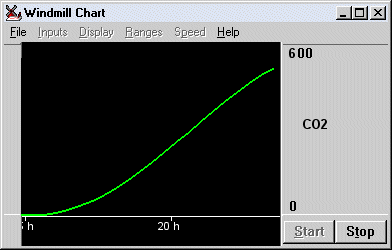
- Climate Change Research
- Windmill monitors and controls environmental conditions such as CO2 concentration, temperature, humidity and photosynthetically active radiation (PAR).
- Monitoring Fluorescence during Mussel Farming Research
- Invasive sea squirts can lose mussel farmers 63% of their crops. Scientists are using Windmill to investigate how sea squirts affect the food available to the mussels.
- Mapping Particulate Matter during Aquaculture
- Researcher uses Windmill when monitoring the concentration of organic matter released from salmon farms in Canada.
- Monitoring Oxygen Consumption of Fish
- Windmill continually logs data from oxygen electrodes in copper-contaminated waters. Does more food mean the fish metabolise more copper?
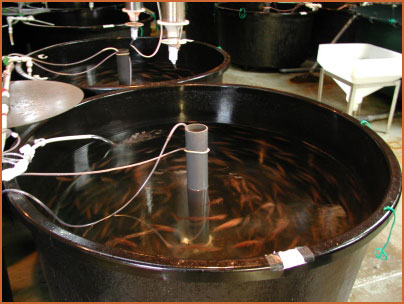
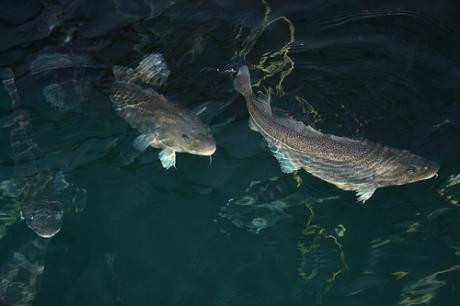
- Condition Monitoring for Fish Farming Research
- The Seafish Industries Research Station is using Windmill to monitor their fish populations.
Food Science
- Logging data during High Pressure Frying
- Food scientists use Windmill to study pressure frying.
- Continually measuring ripening grape weight
- Windmill monitors the weight of wine grapes.
- Testing Food Processing Equipment via I2C
- A manufacturer is using Windmill to test its I2C-based thermostats.
- Real-Time Fuel Consumption Monitoring
- Interface a vehicle's on board diagnostics system to a laptop PC.
- Diesel Engine Research
- New research uses Windmill to investigate how diesel engine fuel and lubricants affect engine emissions.
- Automotive Crash Testing
- Windmill improves automotive crash testing procedures.
Aquatic Remote Sensing and Pollution Monitoring
- Mapping Particulate Matter from Salmon Farms
- Researcher uses Windmill when monitoring the concentration of organic matter released from salmon farms in Canada.
- Detecting Oil Contamination
- Research scientists use Windmill to find the source and extent of oil pollution.
- Seabed Surveying
- Marine and Estuarine Ecology Group use Windmill for seabed mapping and surveying.
- Investigating Pollution from Submarine Springs
- A Geological Survey team is using Windmill software for easy and accurate measurements.
- Mapping Dye Dispersion
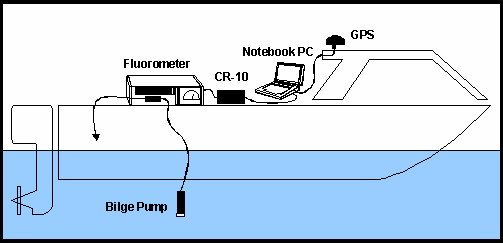
- Marine scientists are monitoring the dispersion of sewage using a fluorometer, GPS and Windmill software.
- Remote Sensing
- Thanks to Windmill, automated sea-floor mapping has become available for anyone with access to a sonar, GPS and a laptop PC.
Education
- Teaching Technology
- Windmill is being used with a Parallax BASIC Stamp to create an inexpensive laboratory tool for teachers of sciences and environmental studies.
- Control Technology in Education
- A new education initiative is using the Windmill Software demo to help explain control technology. The Windmill Graphics simulation software was seen as essential for student's Information Technology core skills.
- Companies now have a legal requirement to "clean" waste gases, and maintain records to prove emissions don't exceed current limits. Windmill Software is helping with this task.
- Wind Farm Energy Monitoring
- Windmill Software is currently monitoring renewable energy generation and usage at an experimental site in Leicester (UK).
- Monitoring Renewable Energy
- Windmill calculates photovoltaic solar panels' power output and conversion efficiency.
- Data logging from load cells, motion sensor and an RTK receiver
- Calibrating tension meters to improve mooring safety on semi-submersible oil rigs.
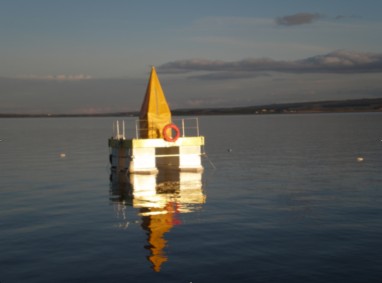
- Temperature Monitoring of Hospital Freezers
- A London hospital is using a Windmill 751-TC system to monitor the conditions of their low temperature liquid nitrogen freezers.
- Data Acquisition from Torque Meters
- Send data from torque meters directly to an Access database with the free Windmill software.
- Data Logging from Pilot Plant
- Windmill software logs reactor temperatures, reactor jacket flowrate, reactor pressure, vapour, distillate and condenser coolant temperatures, weights, reagent flows and process analytical instrument readings.
- Measuring the Flow Rate of Powder
- The free Windmill LabIML software enables scientists in a Department of Pharmaceutical Technology to monitor powder "flowability".
Technical Support
- Technical Support
- Technical support page for Windmill 7, COMIML and ComDebug.
- Getting started with ComDebug and the COMIML Serial Driver
- How to configure Windmill 7 to log data from any instrument communicating over RS232, RS422, RS485, Modbus or TCP/IP.
- Debugging Noisy Measurement Hardware: Fixing Fluctuating Readings
- How to test whether there is a problem with your hardware, power supply or environment. With special reference to pH but also applicable to other measurements.
- Trouble-Shooting RS232 Serial Port Connections
- Covers the RS232 standard and what to do if you if you have problems getting data through the com port.
- Windmll Serial Port Driver Settings
- When configuring data acquisition software to work with your serial instrument, you must tell the serial driver exactly what settings your instrument is using. This page gives example settings for a range of instruments and devices.
- USB-Serial Converters
- Tips on using USB-Serial converters for data acquisition.
- Com Port Settings
- What the com port settings mean: baud rate, parity, etc.
- Parsing Messages to Extract Data from RS232 Instruments
- Tips on extracting data values from strings sent from instruments with RS232 ports.
- Installing USB devices under Windows 8 and 10
- How to install USB data acquisition hardware under Windows 8 and later.
- Installing USB devices under Windows 11
- How to install data acquisition devices communicating via USB under Windows 11.
- How to stop Windows disconnecting USB devices
- Four ways to prevent Windows dropping a USB connection.
- Data Logging Tips
- Logging data to a series of files, automatically overwriting old data,
- Logging Only New Data
- Notes on using the Windmill Logger program to record only new data, for example when data is sent when you press a button on an instrument.
- Starting Windmill when you Start Windows
- Starting logging, and the other Windmill programs, when you switch on the computer
- Routing Data to Excel
- Help on transferring data between your hardware and an Excel spreadsheet.
- Charting Data in Excel
- Help on drawing charts in an Excel spreadsheet.
- Excel Tips and Tricks
- Tips on using Excel for data acquisition, control and analysis
- Extract Data from a Website to Excel
- How to feed live data from a web page into an Excel spreadsheet.
- Excel Data on Google Earth
- How to display logged data from an Excel spreadsheet on Google Earth. Excel to kml.
- Routing Data to OpenOffice
- Help on transferring data between your hardware and an OpenOffice or LibreOffice Calc spreadsheet.
- Interfacing a Modbus Device
- Troubleshoot Modbus connections with our free ComDebug software.
- How to collect data from NMEA Instruments
- About the NMEA standard and connecting NMEA devices to the PC.
- Connecting a GPS Receiver to a Laptop
- Connect your GPS receiver to your PC.
- Interfacing a Garmin GPS
- For sea and lake floor mapping, and whenever you need spatially referenced data.
- Interfacing a Turner Fluorometer
- Use Windmill to read data from your Turner Fluorometer balance.
- Interfacing a Sylvac Dial Gauge
- Settings for using Windmill with a dial gauge or digital indicator.
- Interfacing a Mettler Toledo balance
- Use Windmill to read data from your Mettler Toledo balance.
- Interfacing a Sartorius balance
- Settings for using Windmill with a Sartorius balance.
- Interfacing an Adam balance
- Use Windmill to read data from your Adam balance.
- Interfacing a Denver balance
- Settings for using Windmill with a Denver balance.
- Interfacing an A & D Balance
- How to connect an A & D Balance to a PC using Windmill software.
- Interfacing an Ohaus Pioneer Balance
- Use Windmill to log data from an Ohaus Pioneer Balance.
- Interfacing a Rice Lake Balance
- Windmill settings for logging data from a Rice Lake Balance.
- Interfacing a Vitrek High Voltage Meter
- Settings for using Windmill with a Quadra_Check 2000 Optical Reader
- Interfacing a Quadra-Chek 2000
- Settings for using Windmill with a Vitrek 4700 Precision High Voltage Meter
- Interfacing a RFID Reader
- Settings for using Windmill with a RFID reader.
- Connecting On-Board Diagnostics to a Laptop
- Continually log data from your vehicle and display it in real time.
- Interfacing a Parallax BASIC Stamp
- Turn your Stamp into a multi-channel datalogging instrument.
- Interfacing a Transcell Digital Indicator
- Use Windmill to read a Transcell display.
- Interfacing a Torque Meter
- How to connect a Torque Meter to a PC using Windmill software.
- Interfacing a Datel Datataker
- Settings for connecting a Datel Datataker to a PC.
- Interfacing an Adam 4000 Module
- Settings for connecting an Adam 4018 Thermocouple Input Module from Advantec.
- Interfacing a Pinnacle Advanced Energy 6kW DC Power Supply
- Pinnacle data settings for Windmill ComDebug.
- Tresna Digital Indicator connected to the PC via a Win-1 Special Interface, Series:Q05
- Tresna data settings for Windmill ComDebug.
- YSI Oxygen Meter
- YSI data settings for Windmill ComDebug.
- Interfacing a Parallax BASIC Stamp
- Turn your Stamp into a multi-channel datalogging instrument.
- Interfacing a Desoutter TMP220 Torque Meter
- The settings for a Desoutter TMP220 Torque Meter plus brief notes on capturing Torque Meter data to an Access database.
- Guide to Seafloor Mapping
- Step-by-step guide to mapping the marine environment.
- Using Windmill to Control Digital Outputs
- Which programs can you use to switch digital outputs?
- Backing up Windmill
- Which files to save to back up Windmill.
- Windmill Help Files and Manuals
- You can download the latest on-line Help files for our software - get an in-depth explanation of how to use each program.
Products
- Internet, Ethernet & IoT Data Acquisition Hardware
- Data logging and control over Ethernet and Internet.
- USB Data Acquisition Hardware
- Ease of connection, low cost and good performance are key to our USB product range.
- Microlink 840 versatile data logger
- Data logging over Internet-of-Things, WiFi and Ethernet networks.
- Monitoring Strain
- Microlink 751-SG lets you monitor 16 strain gauges, balanced bridges like pressure transducers and voltage signals. This unit also provides 32 digital inputs and outputs and 8 counters. Connect eight units to one PC and monitor 128 strain gauges.
- Windmill Software
- A suite of data acquisition and control software for laboratory and industry. Included with Microlink measurement and control hardware.
Other
- Subject index
- List of the contents of this site by subject.
- Monitor Index
- List of topics covered in our newsletter by subject.
- Sustainability
- We are delighted that Biodata, our company that makes the Microlink data acquisition hardware, have received a Bronze Award in Sustainability from the world's most trusted business sustainability ratings agency, Ecovadis.

